hexo-liushen主题部署过程
hexo-liushen-themes在liushen的博客中看着很不错,之前我就一直想用这个主题,但是当时不太懂这些,就放弃了,最近想起来想要折腾一下,所以直到现在才发现,仓库内的主题貌似是半成品
配置文件的修改
先参考butterfly的官方文档和liushen的仓库的 README.md 修改好配置文件
右侧栏
关于“欢迎来访者!”栏目
右侧栏中的字段被硬编码在themes\liushen\layout\includes\widget\card_welcome.pug
如果不想显示获取失败的面板,直接删掉那部分代码(#welcome-info)即可
右侧欢迎面板: others.js 修改
themes\liushen\source\js\others.js中的第261行有一段代码需要修改,源代码片段如下
return fetch('https://api.76.al/api/ip/query?key=这里要自己改改') |
由于api.76.al已经无法访问,这里列出几个可用的api:
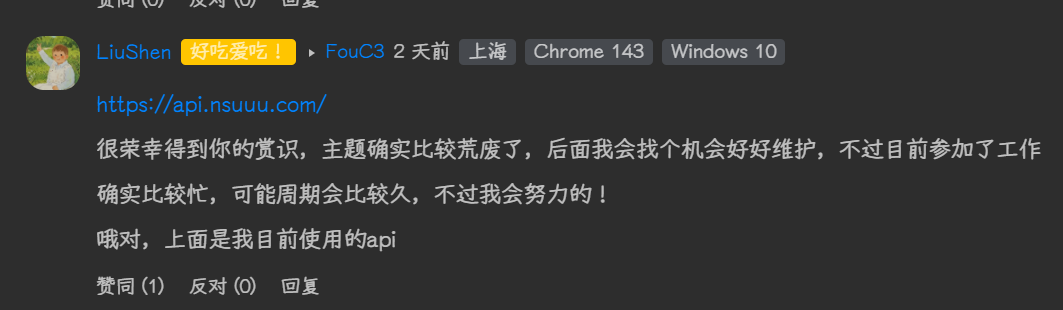
http://ip-api.com/json/?fields=country,regionName,city,zip,lat,lon,query&lang=zh-CN因浏览器限制,此api仅限http网站可用https://whois.pconline.com.cn/ipJson.jsp?ip=&json=true此api不会返回经纬度信息,需要修改经纬度判断逻辑https://ipwho.is/每月提供一万次请求次数,包含经纬度等信息https://api.nsuuu.com/来自LiuShen推荐
更多请参考 ip-info-api
同时如果需要使用其他的api(包含上方推荐的api),需要修改位于others.js中的如下代码:
- 修改请求地址 (
fetchIpLocation函数) - 修改字段取值 (
showWelcome函数)
右键菜单
右键菜单存放于themes\liushen\layout\includes\rightmenu.pug文件
说说
创建说说
在hexo文件夹执行下面的命令即可创建说说页
npx hexo new page shuoshuo |
创建页面后建议修改source\shuoshuo\index.md
解析说说的代码文件在themes\liushen\layout\includes\page\shuoshuo.pug
编辑说说
说说的数据解析代码在themes\liushen\layout\includes\page\shuoshuo.pug
说说的数据存放在source_data\shuoshuo.yml
| 字段名 | 类型 | 说明 | 示例 |
|---|---|---|---|
| author | String |
作者昵称或 ID | 作者名 |
| avatar | String |
作者头像的绝对网络 URL 路径 | https://.../image.webp |
| date | DateTime |
发布时间,格式为 YYYY-MM-DD HH:MM:SS |
2026-01-13 15:20:00 |
| content | String |
动态正文,支持多行文本及 Markdown 语法 | Hello World! |
| tags | Array |
字符串列表,用于对内容进行分类或标记 | ["日常", "测试"] |
具体格式如下:
- author: "作者名" # [必填] 作者昵称或名称 |
主页的“说说加载中”
建议暂时把themes\liushen\layout\includes\others\memos_home.pug的第一行从if (is_home())改为if (false)来隐藏
这个说说加载中挺奇怪的,在themes/liushen/layout/includes/others/memos_home.pug中,代码定义了一个 ul.talk-list并默认显示说说加载中。。。
然而,在themes/liushen/source/js/others.js文件中,完全没有处理说说的代码。该文件包含了随机文章、导航栏隐藏、IP位置欢迎语等功能,但没有一段代码是去获取说说数据并填充到ul.talk-list中的。
并且我让AI检查是否有将数据填充进ul.talk-list的代码,结果AI没有找到任何相关代码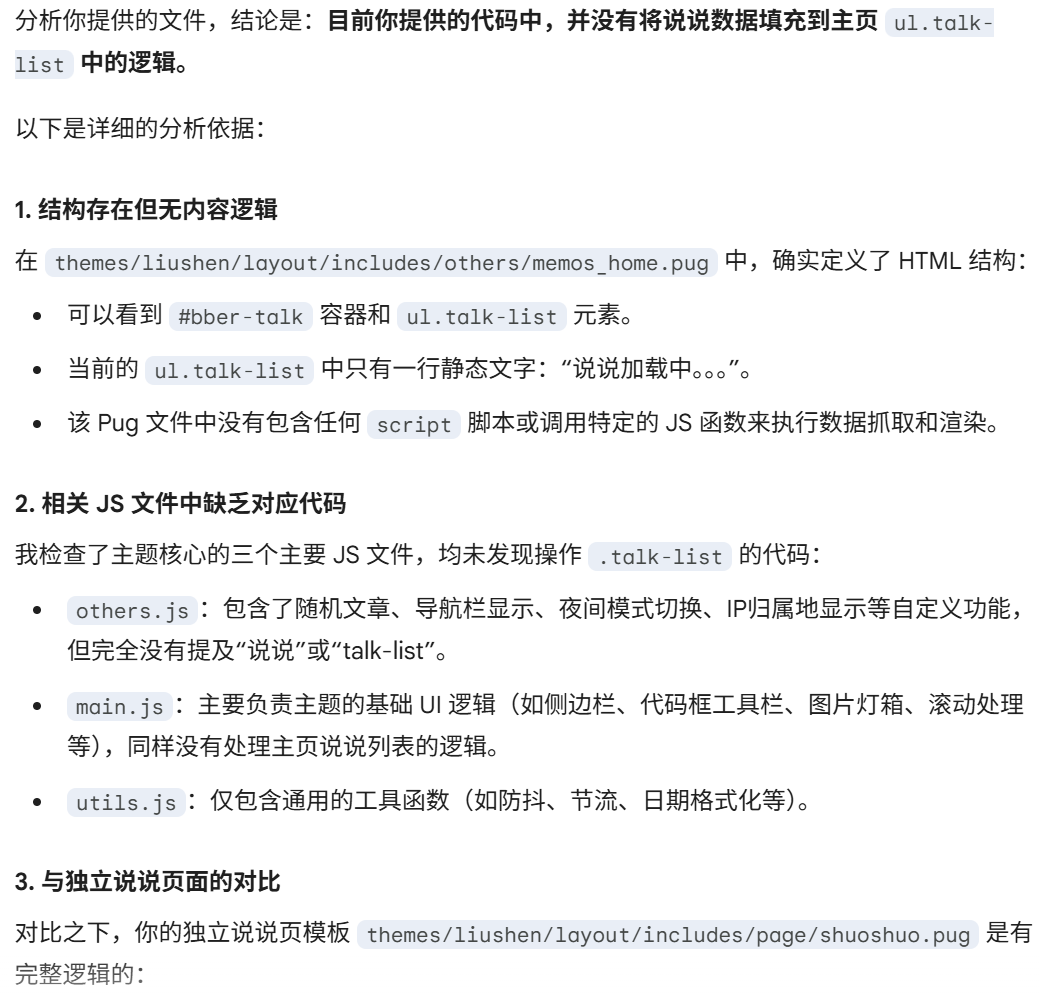
缺失的 CSS
在themes\liushen\source\css\custom.styl中,定义了以下信息
@import '_custom/*' |
经过AI分析,得出了以下信息:
css/_page/shuoshuo.styl:这个文件定义的是.shuoshuo-item、.shuoshuo-avatar、.shuoshuo-content等类。这些样式是给/shuoshuo/这个独立页面使用的(通常是纵向排列的大卡片流)。它没有定义主页说说栏使用的.bb_talk_swipper、.talk-list或#bber-talk等类。css/_page/homepage.styl:这个文件主要定义主页文章卡片(#recent-posts .recent-post-item)的布局,例如瀑布流或双栏显示。里面完全没有提到main_top或说说栏的相关样式。
主页说说栏的 HTML 使用了以下关键类名:
.bb_talk_swipper.talk-list.item(在talk-list内部)
由于在目前的 CSS 树(包括 custom.styl 导入的所有内容)中找不到这些类名的定义,浏览器只能按默认的 <ul> 和 <li> 样式显示,所以看起来就是一段没有样式的纯文字。
或许应该参考LiuShen博客的样式对其进行补全
缺失的ul.talk-list逻辑
正常来说,应该会有代码向ul.talk-list填充说说,但是并没有找到这些代码,可能需要尝试对其进行补全
友链
找不到文件flink_count.json
具体问题
貌似只有一个文件调用了flink_count.json,来自themes\liushen\layout\includes\randomlink.pug
该调用只负责了一个事情:在本地缓存失效或不存在时,从服务器获取友情链接数据以展示页脚的随机友链。
具体的代码片段如下
// themes\liushen\layout\includes\randomlink.pug (片段) |
这意味着:要让这个功能正常工作,您的站点根目录下必须能够访问到/flink_count.json。
通常这需要安装插件,或者是通过某种构建脚本把 _data/links.yml转换成这个 json 文件。
如果没有生成这个文件的插件或脚本,页脚的随机友链功能就会报错(404 Not Found)。
解决方案
通过自己写一个小插件来实现自动生成flink_count.json
若需使用,将下列代码存放在themes\liushen\scripts\events\flink_generator.js
hexo.extend.generator.register('flink_count', function (locals) { |
字体
字体的设置在themes\liushen_config.yml,默认配置如下
# 全局字体设置 |
我使用的悠哉体和SourceCodeVF,并在themes\liushen\source\css\custom.styl进行引入
下面是我的custom.styl,请根据自己的配置进行更改
@import '_custom/*' |
右下角的菜单
菜单按钮定义存放在themes\liushen\layout\includes\rightside.pug
小猫显隐
菜单中的逻辑如下
when 'cat' |
显示/隐藏的逻辑存放在themes\liushen\source\js\others.js第150行左右
// 小猫的显示和隐藏 |
默认是用不了的,因为没有安装Live2D,并且没有小猫的Live2D模型
顶部选项卡切换时更名
相关代码逻辑位于themes\liushen\source\js\others.js,约165-181行左右
相关代码如下
//动态标题 |
音乐播放器
不知道为什么无法正常加载播放器,APlayer的教程仅供参考
在LiuShen的代码分享页找到了教程,点我前往
代码内置了对 APlayer 的支持,不过要启用这个功能,需要先去配置文件启用aplayerInject
# 注入 css 和脚本 (aplayer/meting) |
运行npm install hexo-tag-aplayer --save来安装依赖,不过安装成功后可能会出现以下提示
9 vulnerabilities (7 moderate, 2 high) |
这些提示是因为这些包中存在漏洞,不过对我们的静态网页没有任何影响
剩下的教程请参考LiuShen代码分享站
可以在文章中插入{% aplayer %}代码来播放音乐
分类栏
分类栏是文章上方的一个栏目,具体见图片
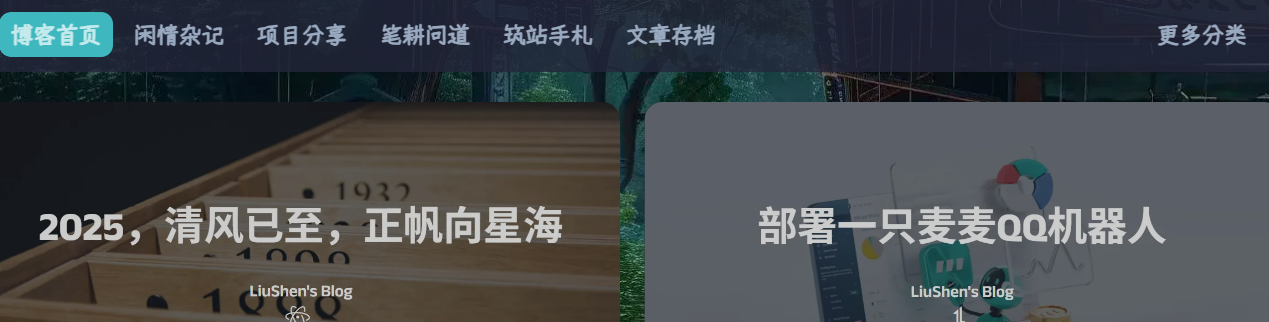
该分类栏被硬编码在themes\liushen\layout\includes\categoryBar.pug,格式如下
.category-bar-item |
示例:
// ... |
右上角按钮
右上角的按钮被存放在themes\liushen\layout\includes\header\nav.pug,包括友链接力、随机前往一个文章等
具体格式待补充
右键菜单
菜单的显示在themes\liushen\layout\includes\rightmenu.pug
菜单的逻辑在themes\liushen\source\js\rightmenu.js(里面貌似还有简繁转换的字典?)
外挂标签
因为可用的有些多,我会单独出一篇文章来介绍LiuShen主题可用的外挂标签

其他问题
右上角“随机前往一个文章点击”点击没有用
- 确保你已安装
hexo-generator-sitemap
npm install hexo-generator-sitemap --save |
- 确保你的文章格式为
/posts/开头的,如果不是请在_config.yml中修改permalink项
移除固定的蓝色背景
改好后的效果参考效果图,也就是上方半透明的背景
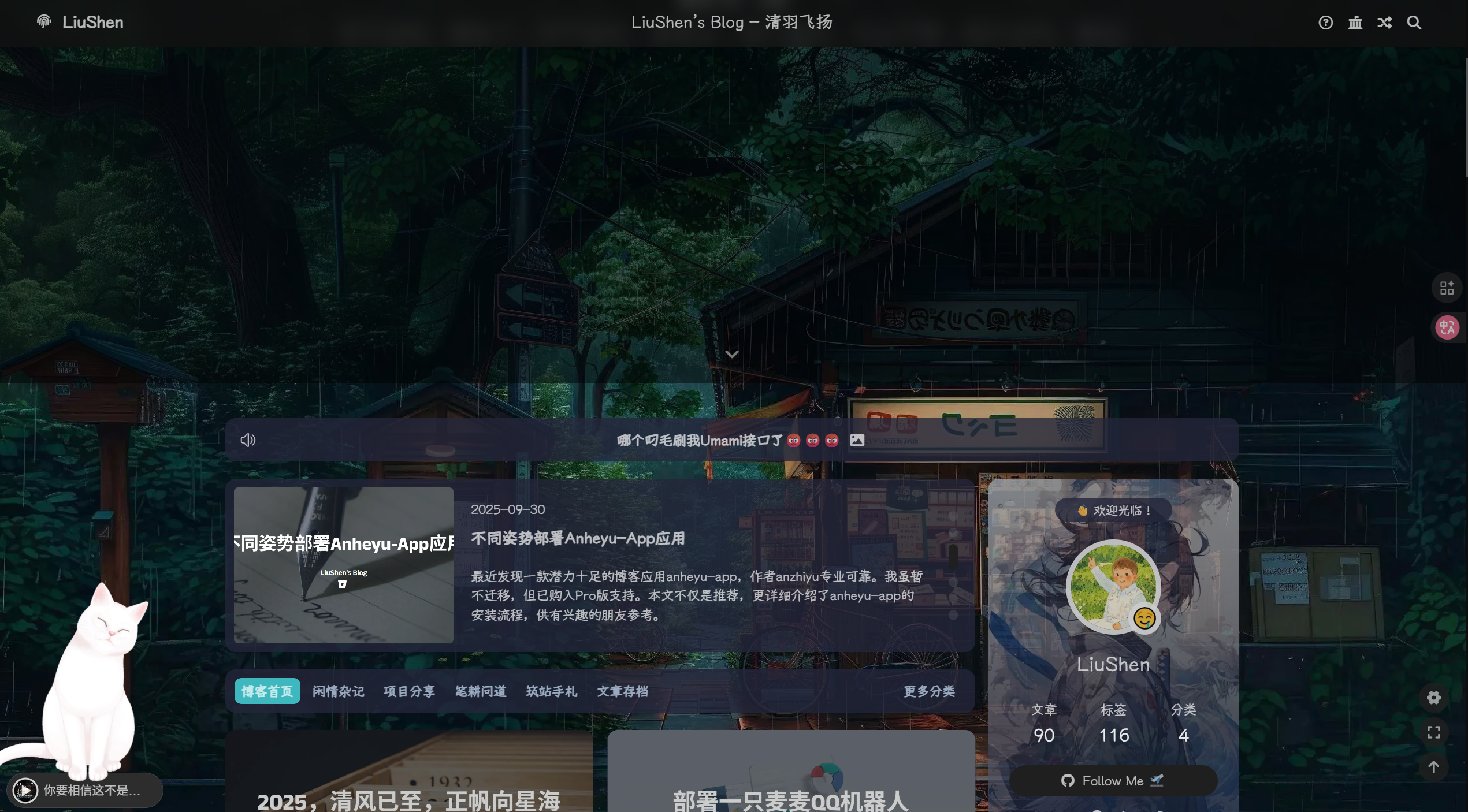
仅需添加两行代码即可,位于themes\liushen\source\css_layout\head.styl,约18-23行
|
@@ -18,4 +18,6 @@
|
|
| 18 |
// index
|
| 19 |
&.full_page
|
| 20 |
height: $index_top_img_height
|
| 21 |
background-attachment: fixed
|
|
|
|
|
|
|
|
|
| 18 |
// index
|
| 19 |
&.full_page
|
| 20 |
height: $index_top_img_height
|
| 21 |
background-attachment: fixed
|
| 22 |
+
background-color: transparent
|
| 23 |
+
background-image: none !important
|
目前我还在摸索这个主题怎么用,在此期间我或许会切换到其他主题。